
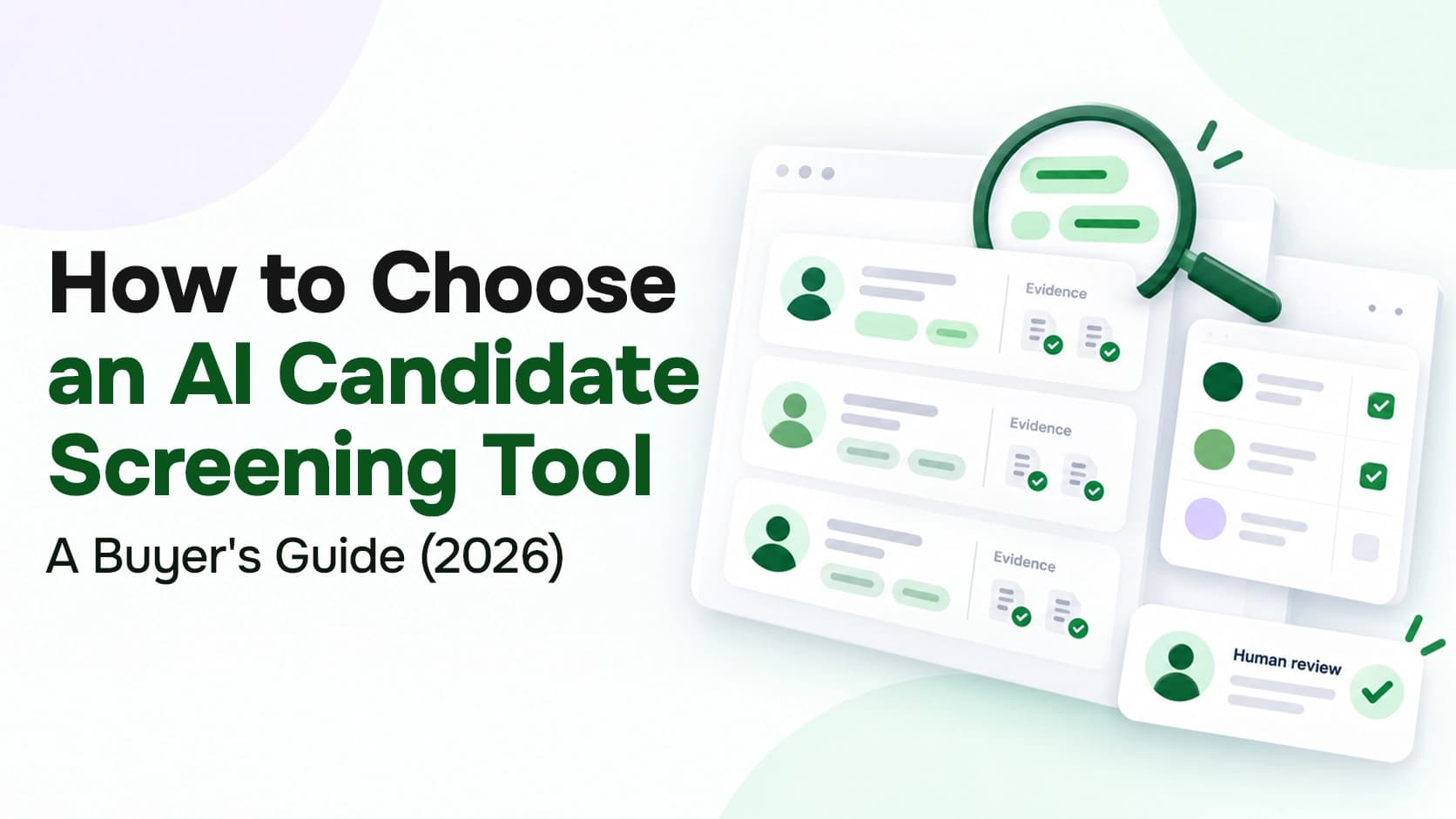
How to Choose an AI Candidate Screening Tool: 10-Step Guide
Recruit
Candidate Screening
14 min read
Key Highlights
AI screening tools should support recruiter judgment, not replace final human decisions.
Accurate matching, explainable scoring, ATS integration, privacy, and fairness controls matter most.
Employment, bias-audit, and data privacy laws still apply to AI-assisted hiring.
Vendor claims should be tested through documentation, real workflows, and controlled pilot results.
The best tool fits your roles, hiring volume, budget, compliance needs, and candidate experience.
Introduction
Choosing an AI candidate screening tool without evaluating how it fits your hiring process can lead to unclear rankings, missed candidates, weak ATS integration, and compliance risks.
The right tool reduce repetitive screening work, improve consistency, and help recruiters make faster decisions without removing human control.
However, the best choice depends on your organization’s hiring volume, role types, existing systems, compliance needs, budget, and candidate experience.
This guide explains how to evaluate AI screening tools based on accuracy, explainability, integration, legal safeguards, pricing, and real-world performance so you can strengthen your overall recruitment process.
What Is an AI Candidate Screening Tool?
An AI candidate screening tool is software that uses artificial intelligence to review job applications and identify the strongest candidates automatically based on predefined hiring criteria.
It analyzes information from resumes, application forms, assessment results, and screening questions.
The primary goal is to help recruiters identify candidates who match the role before moving them to the interview stage.
Examples of AI candidate screening tools include HireVue for skills assessments and structured video interviews, Paradox for conversational screening, SeekOut for applicant evaluation and candidate matching, and many more.
Mercury 360 is another option for teams that want AI-assisted screening within a broader applicant tracking system, alongside candidate management, hiring pipelines, assessments, automation, and recruitment analytics.
Each tool supports a different part of the screening process, so the right choice depends on your hiring volume, role types, and existing workflow.
Why Hiring Teams Use AI for Candidate Screening?
Hiring teams use AI for candidate screening to review applications faster and apply job-related criteria more consistently.
At the early screening stage, recruiters must assess qualifications, compare experience with role requirements, confirm basic eligibility, and decide who should move forward.
AI screening tools automate parts of this process and help you:
Review more applications in less time
Apply the same screening criteria to every candidate
Identify relevant skills beyond exact keyword matches
Spend more time on interviews and candidate communication
Search your existing candidate database more effectively
Organize resume and application data into clearer candidate profiles
Reduce delays in the early stages of hiring
Support faster, more consistent shortlisting decision
However, AI should support your screening process, not make the final decision.
Human review and professional judgment remain essential for checking recommendations, understanding candidate context, correcting errors, and deciding who moves forward.
SHRM’s 2025 Talent Trends report found that 69% of organizations still struggle to fill roles, while AI adoption in HR tasks increased from 26% in 2024 to 43% in 2025, showing that more teams are using technology to support hiring and workforce planning.
What Features Matter Most in an AI Screening Tool?
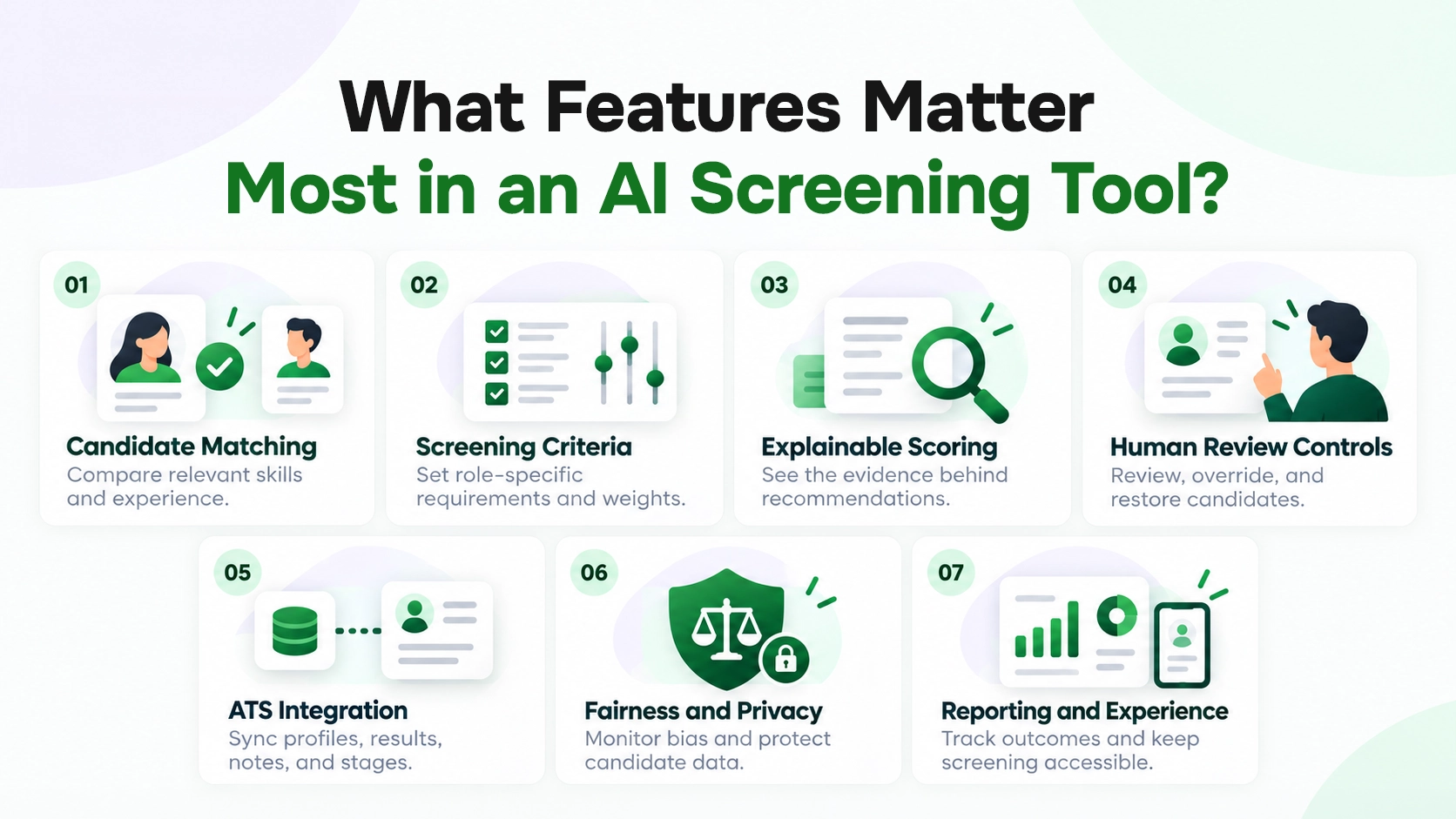
The right features should improve screening quality, fit your workflow, and keep recruiters in control of every important decision.
Here are the features that matter most when comparing AI screening tools:
Candidate matching: Compares skills, experience, and qualifications without relying only on exact keywords.
Screening criteria: Lets you set required qualifications, preferred skills, knockout questions, and scoring weights for each role.
Explainable scoring: Shows why a candidate received a score and which information influenced the recommendation.
Human review controls: Allows you to review, override, restore, and reclassify candidates while tracking false positives and false negatives.
ATS integration: Syncs candidate profiles, screening results, notes, and workflow stages with your applicant tracking system.
Fairness, privacy: Supports bias monitoring, data protection, candidate consent, retention rules, and decision records.
Reporting and experience: Tracks screening outcomes while keeping the application process clear, accessible, and mobile-friendly.
What Legal and Compliance Risks Should You Check?
AI screening tools operate under employment and data protection laws. If a tool produces discriminatory results, mishandles candidate data, or ignores local rules, your organization remains responsible.
Focus on these areas:
Anti-discrimination law: In the US, federal employment laws apply whether a recruiter or an algorithm influences the decision. If the tool unfairly screens out a protected group, your organization faces the risk.
Local AI hiring laws: New York City Local Law 144 requires covered employers to complete an independent bias audit, publish audit information, and notify candidates before using an automated employment decision tool.
Data privacy rules: GDPR gives candidates rights over their personal data and limit certain fully automated decisions. In some cases, candidates can request human review.
European AI and data protection requirements: When hiring in the European Union, check whether the system supports risk management, documentation, transparency, data governance, and human-oversight requirements that apply under the EU AI Act.
The takeaway is simple: the vendor must provide compliance tools and documentation, but you must verify them. Ask for audit reports, privacy controls, retention policies, and clear human-review options.
Artificial intelligence and algorithmic decision-making tools have great potential to improve our lives, including in the area of employment.” — Charlotte A. Burrows, former Chair of the U.S. Equal Employment Opportunity Commission
What Should You Ask Before Choosing a Vendor?
Ask every vendor the same structured questions about accuracy, fairness, data use, integration, implementation, pricing, and support.
The right questions expose the gap between a polished demo and a solid tool. Ask these six questions before you sign anything:
Candidate evaluation and score explainability: Ask the vendor to explain which data, qualifications, skills, and rules influence candidate scores and rankings, using a question such as, “What information affects each recommendation, and can recruiters see why one candidate ranked above another?”
Bias testing and human oversight: Ask how the tool is tested for unequal outcomes and whether recruiters can review or override automated recommendations, using a question such as, “What bias testing do you conduct, and can recruiters change an AI-generated decision?”
ATS integration: Ask which candidate information and workflow data can move between the screening tool and your applicant tracking system, using a question such as, “Which fields, scores, notes, and hiring stages will sync with our ATS?”
Candidate data practices: Ask how the vendor collects, stores, accesses, retains, shares, and deletes candidate information, using a question such as, “Where is candidate data stored, how long is it retained, and is it used to train your models?”
Pricing and contract terms: Ask for a complete breakdown of subscription, implementation, integration, support, usage, and renewal costs, using a question such as, “What costs or limits should we expect beyond the quoted subscription price?”
Implementation, updates, and support: Ask how the tool will be introduced, how model changes are communicated, and who handles training, technical issues, and ongoing improvements, using a question such as, “What support will we receive during implementation and when the system is updated?”
See Why Every Candidate Scored the Way They Did
Mercury Recruit matches candidates against your role criteria and shows the reasoning behind each recommendation, so recruiters can review and override with confidence.
See AI FeaturesWarning Signs of an Unreliable AI Screening Tool
An unreliable AI screening tool usually hides how decisions are made, makes broad fairness claims, and avoids detailed questions about data, testing, or integration.
Watch for these warning signs:
Black-box scoring: You cannot see why a candidate received a score.
“Bias-free” claims: The vendor promises fairness without audit evidence.
No human review: Recruiters cannot override or restore candidates.
Weak testing: The vendor lacks results for real roles and candidate groups.
Unclear data use: Storage, retention, and model training remain vague.
Limited ATS integration: Only basic candidate details move between systems.
Hidden costs: Setup, support, usage, or integration fees appear later.
No stated limitations: The vendor presents the tool as accurate in every case.
A reliable vendor should provide evidence, documentation, and clear answers. If the vendor relies on promises instead of proof, move on to another option.
“AI can bring real benefits to the hiring process, but it also introduces new risks that may cause harm to jobseekers if it is not used lawfully and fairly. Organisations considering buying AI tools to help with their recruitment process must ask key data protection questions to providers and seek clear assurances of their compliance with the law.” - Ian Hulme, ICO Director of Assurance
How to Test an AI Screening Tool Before Buying
Test the tool through a controlled pilot using your own roles, candidate data, and hiring workflow before making a purchase.
A pilot shows how the system performs in your actual process, while a sales demo usually presents it under ideal conditions.
Follow these steps:
Choose a suitable role: Start with a recurring position that has clear requirements and enough applicants to produce useful results.
Set measurable goals: Track screening time, shortlist quality, candidate completion, recruiter workload, and response speed.
Create a human benchmark: Ask experienced recruiters to review a sample of candidates using the same scorecard.
Compare the results: Check where the AI and recruiters agree, where they differ, and why.
Test difficult profiles: Include career changers, employment gaps, international qualifications, unusual job titles, and different resume formats.
Review the candidate experience: Test mobile access, question clarity, accessibility, assessment length, and support options.
Check recruiter adoption: Monitor overrides, ignored recommendations, repeated manual work, and trust in the results.
Document the outcome: Approve the tool only when it improves your agreed metrics without creating new compliance, workflow, or candidate experience problems.
A pilot should prove that the tool works with your data and process, not just the vendor’s sample environment.
Test AI Screening on Your Real Roles
Start a free trial, screen a live opening, and compare Mercury Recruit’s recommendations with your recruiters’ shortlist.
How to Choose the Right AI Candidate Screening Tool for Your Team
A structured evaluation is more reliable than a feature comparison. The NIST AI Risk Management Framework emphasizes a comprehensive approach to understanding and managing AI risks throughout its lifecycle.
Apply the same approach when evaluating screening software by examining both its hiring value and the risks it introduces.
Use the following steps to compare your options.
1. Define the Screening Problem
Start with the part of candidate screening that creates the most delay or inconsistency., including:
High application volumes
Slow resume reviews
Inconsistent shortlisting decisions
Poor candidate matching
Repetitive qualification checks
Delayed candidate responses
Difficulty searching past applicants
Avoid starting with a broad goal such as “we need AI recruiting software.”
A specific problem helps you identify which features matter and prevents you from paying for tools your team will not use.
2. Set Limits on AI Decisions
Set clear limits on how much influence the tool has over hiring decisions.
The software organizes applications, identifies matching qualifications, flags missing information, or recommends candidates for review.
It should not reject applicants automatically unless the decision is based on a clear, necessary, and defensible requirement.
For example, the system might screen out an applicant who lacks a legally required professional license. It should not reject someone because their previous job title differs from the wording in your job description.
Define which decisions require recruiter approval and ensure the tool supports reviews, overrides, and corrections.
3. Test Accuracy with Real Candidate
Do not judge accuracy from a polished product demonstration. Test the software with the types of applications your team actually receives.
Include resumes with:
Different layouts and file formats
Uncommon job titles
Career changes
Employment gaps
International qualifications
Transferable skills
Limited keyword overlap
Multilingual information
Compare the AI’s recommendations with assessments from experienced recruiters. Review both false positives, where unsuitable candidates move forward, and false negatives, where qualified candidates are screened out.
4. Check Score Explainability
Choose a tool that shows the reasoning behind every candidate score or recommendation.
Your recruiters should be able to see:
Which requirements the candidate meets
Which qualifications appear missing
What evidence influenced the score
How different criteria were weighted
Why one candidate ranked above another
Avoid platforms that provide a single fit score without supporting details. Recruiters cannot verify, challenge, or defend a recommendation they do not understand.
5. Review Compliance and Privacy
The tool should help you follow applicable employment and data protection laws, but responsibility remains with your organization.
Ask for bias audit reports, adverse-impact testing, candidate notice options, data retention controls, audit logs, and human review features.
Confirm where candidate data is stored, who has access, and whether the vendor uses it to train shared models.
Timed assessments, video requirements, voice analysis, and inflexible response formats might create unnecessary barriers.
As these risks involve more than recruiting alone, involve HR, legal, privacy, security, and IT teams before making the final decision.
6. Test the ATS Integration
The tool should connect with your applicant tracking system without creating more manual work.
Confirm whether the integration transfers:
Candidate profiles and resumes
Job and requisition details
Screening responses and scores
Recruiter notes
Hiring stages
Rejection reasons
Consent and retention records
Ask the vendor to demonstrate the complete workflow using your ATS. Check how recruiters launch screening, receive results, update candidate stages, and correct information.
7. Review the Candidate Experience
The screening process should be easy to understand, accessible, and appropriate for the role.
Complete the process as a candidate and check:
Mobile usability
Question clarity
Assessment length
Account creation requirements
Language options
Accessibility
Privacy notices
Support or accommodation options
Time required to complete each step
Avoid adding a long assessment before candidates understand the role or speak with a recruiter.
The effort you ask from applicants should match the stage of the hiring process.
8. Compare the Full Cost
Calculate the total cost of ownership before comparing vendors.
Include:
Subscription fees
Implementation
ATS integration
Recruiter seats
Candidate or job limits
Assessment credits
Training
Premium support
Compliance reviews
Data migration
Renewal increases
Then compare those costs with the value the tool is expected to create.
Measure recruiter hours saved, faster response times, fewer unsuitable interviews, lower agency spending, and improved shortlist quality.
9. Use a Vendor Scorecard
A scorecard helps you compare vendors using the same standards instead of relying on the most impressive demonstration.
Evaluation Area | Suggested Weight |
Accuracy and explainability | 25% |
Compliance and fairness | 20% |
ATS integration and workflow fit | 15% |
Candidate experience | 15% |
Privacy and security | 10% |
Reporting and audit controls | 5% |
Implementation and support | 5% |
Total cost | 5% |
Adjust the percentages to match your priorities and score every shortlisted tool using evidence from documentation, demonstrations, references, and pilot results.
10. Decide Based on Pilot Results
Choose the tool only after it proves that it works with your candidates, recruiters, ATS, and screening process.
Before approving the purchase, confirm that:
Solves the original screening problem
Uses job-related criteria
Explains its recommendations
Allows human review
Protects candidate data
Works with your ATS
Improves your hiring metrics
Offers clear pricing
The right AI candidate screening tool does not need the longest feature list. It needs to improve screening speed and quality while giving your team clear evidence, meaningful control, and a process candidates can trust.
AI Screening That Keeps Recruiters in Control
Customizable criteria, explainable recommendations, recruiter overrides, and a built-in ATS, so screening speeds up without losing human judgment.
Book A DemoConclusion
Choosing an AI candidate screening tool is a decision you live with for years, so it is worth slowing down before you sign. The most impressive demo isn’t always the best tool.
Focus on what protects your hiring process and makes it better: bias audits, ATS integration, clear scoring explanations, and a human making the final decision. These are not extra features to compare against price; they are the basics.
Then let evidence guide the choice. Test the tool on real roles, ask vendors direct questions, and choose the one that gives clear documentation instead of vague promises.
Get this right, and AI screening does what it should. It removes repetitive screening work so recruiters can spend more time with the candidates most likely to succeed.
FAQs
Frequently Asked Questions
Define your screening problem, compare tools based on accuracy, explainability, compliance, ATS integration and candidate experience, and run a controlled pilot before purchasing.